LinkedIn Optimization Guide 2026: Get Recruited Faster
Turn your LinkedIn into a 24/7 job magnet in 2026. Follow data-backed steps for headlines, summaries, AI optimization, and a printable checklist.
By Yuvraj Bajwa, Founder, Resumae
July 7, 2026 · Updated August 7, 2026 · 10 min read
Resumae articles are written to help job seekers make better application decisions and are reviewed against our editorial policy.

Your LinkedIn profile either helps recruiters find you or gets passed over. What makes the difference is how clearly it signals your experience and the role you’re targeting.
Too many people treat LinkedIn like a digital resume. They fill in the basic fields, upload a photo that doesn’t help, and then wait. Recruiters aren’t waiting. A profile that works makes your target role and your results obvious at a glance.
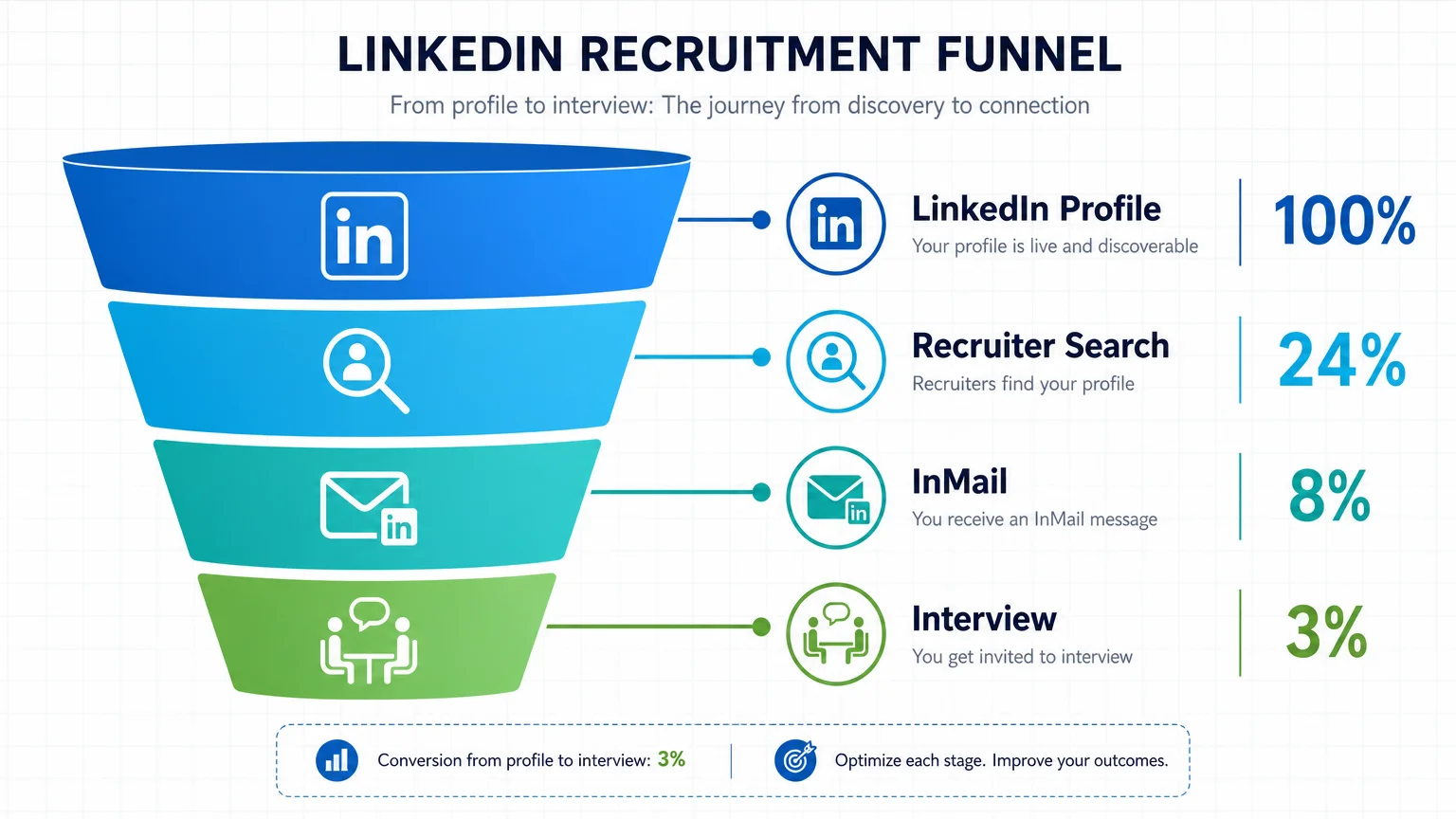
Recruiters rely on AI-powered search tools to scan profiles, so your profile needs the terms tied to the roles you want. 98% of recruiters now use LinkedIn to find candidates (Jobvite Recruiter Nation Report, 2026).
Work through each section below to improve your profile. The steps cover search terms, evidence, and what recruiters actually look for.
Why LinkedIn Matters for Job Seekers in 2026
Your LinkedIn profile is one way recruiters find and evaluate you.
Here’s what the data says:
- 92% of recruiters use LinkedIn to source candidates.
- Profiles with a professional photo get 21x more profile views (LinkedIn official data). A blurry selfie costs you opportunities.
- Adding skills to your profile can increase recruiter discovery by 13x.
- Complete profiles are 40x more likely to receive opportunities (LinkedIn).
In 2026, LinkedIn Recruiter uses AI to rank profiles. It looks at your headline, skills, experience, and about section. If those fields don’t match the keywords in a job description, your profile may not show up in relevant searches.
Your profile is a searchable version of your resume. Keep the two consistent so recruiters see the same experience and terms in both places.
Step 1: Write a Clear LinkedIn Headline
Your headline is the first thing people read after your name, and it also feeds into LinkedIn search. So it should show the role and skills you want to be found for, not just your current title.
A Simple Headline Structure
Structure: [Target Job Title] | [Core Skill 1 + Skill 2] | [Key Result or Value Prop]
Examples:
- Marketing Manager | SEO & Content Strategy | Increased organic traffic by 300%
- Software Engineer | Python & AWS | Built scalable microservices for fintech
- Project Manager | Agile & Cross-Functional Teams | Delivered $5M projects on time
Pull keywords from the job descriptions you are targeting. Type the role into LinkedIn search and look at what terms come up.
Mistakes to Avoid
- Buzzwords: “Guru,” “Ninja,” “Rockstar.” These mean nothing and turn recruiters off.
- Generic titles: “Student at University” or “Looking for opportunities.” They add zero value.
- Overstuffing keywords: “Marketing | Social Media | SEO | PPC | Content | Branding.” That looks spammy. Pick 2-3 core skills plus one measurable result.
Your headline should answer two questions: What do you do? and What results do you deliver?
Step 2: Write a Useful About Section
Recruiters use your about section to understand your work, so give them room to see it clearly. Skip the autobiography. Focus on the problems you solve, the skills you bring, and the results you have already delivered.
The Storytelling Framework
Hook: Open with a mission statement or a problem you solve.
Problem: What challenge do you tackle for employers?
Solution: How do you solve it? Name your core skills and approach.
Results: Quantify your biggest wins.
CTA: What are you looking for next? “Open to roles in product marketing” or “Reach out if you need a data-driven strategist.”
Example rewrite:
Before: “I am a dedicated professional with experience in project management. I have worked on various projects and have strong organizational skills.”
After: “I help product teams ship faster without burning out. As a certified PMP with 6 years in SaaS, I’ve led 15+ cross-functional projects that hit revenue and timeline goals. My last project reduced delivery time by 30% and saved $200K in costs. Looking for my next challenge in a growth-stage company.”
The second version is specific, quantified, and clear about what comes next.
Your about section should be 3-5 short paragraphs. Break it up with line breaks so it’s easy to scan.
Step 3: Make Your Experience Easy to Scan
Recruiters spend about 6 seconds scanning a resume. They may give your LinkedIn experience the same quick review, so write for skimmers.
Use Bullet Points, Rich Media, and Achievements
- Start each bullet with an action verb and a number where possible.
- Add links to deliverables: case studies, websites, presentations.
- Keep each role description to 3-5 bullets.
Example:
Marketing Manager, Company X (2022–2025)
- Increased organic traffic by 300% in 18 months through SEO and content strategy.
- Built and led a team of 5 writers and designers, improving content output by 40%.
- Launched three product campaigns that generated $2M in pipeline.
Match Your Resume Language
Your LinkedIn and resume should tell the same story. Use the same keywords, metrics, and job titles. Inconsistencies confuse recruiters.
Pro tip: When you update your resume on Resumae, copy those bullet points directly into LinkedIn. Keep the language consistent across both platforms.
Link Each Role to Your Career Narrative
Don’t list duties. Show progression. If you moved from junior to senior, explain the growth. If you pivoted industries, explain why and how your skills transfer.
Example: “Transitioned from finance to tech, bringing data analysis skills that helped the product team prioritize features based on ROI.”
Step 4: Add Skills, Endorsements, and Recommendations
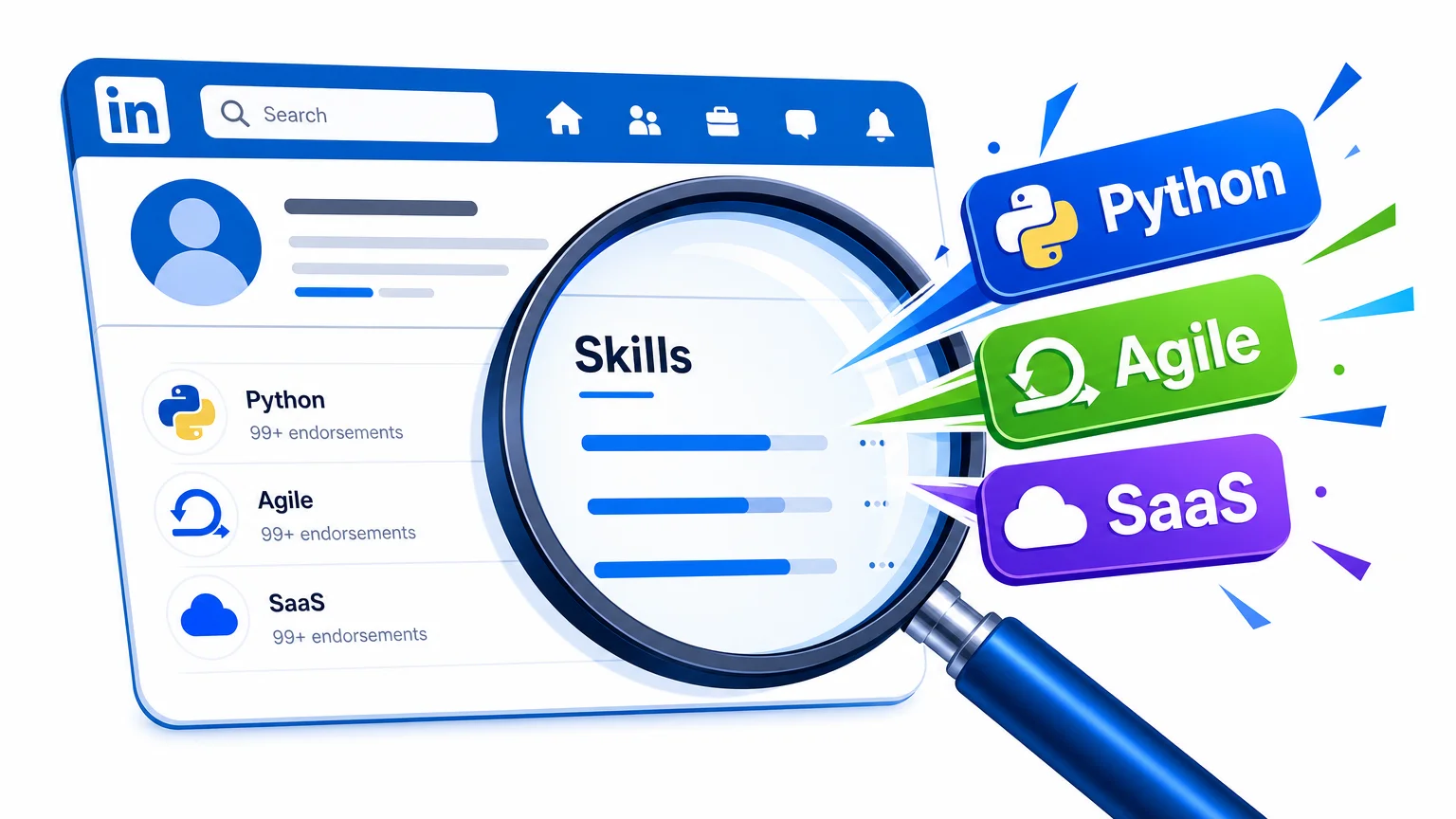
This section gives LinkedIn more information to use when matching your profile to searches.
Which Skills to List: Top 10 or All?
List 10–15 skills that are highly relevant to your target role. LinkedIn’s algorithm gives more weight to skills that match job descriptions.
How to pick: Open a few job descriptions for your dream role and scan for skills that keep showing up. Add those to your profile.
How Endorsements Impact Search Ranking
Colleagues endorsing you sends a relevance signal to LinkedIn’s algorithm. It also makes your profile look active and credible.
To get more: Endorse others first. They’ll often reciprocate. Then ask a few close contacts to endorse specific skills you want to highlight.
Strategic Ask for Recommendations: Template Included
Recommendations carry serious social proof, but asking for one feels awkward. So here’s a template that works:
“Hi [Name], I really enjoyed working with you on [project]. Would you be open to writing a short recommendation highlighting my [skill] and how it contributed to the team? I’d be happy to write one for you in return.”
People respond better when the request is specific, so say exactly what you’d like the recommendation to cover.
Step 5: Use the Featured Section and Creator Mode
Showcase Your Best Work
The The Featured section sits right below your about section, where you can pin your resume, portfolio piece, presentation, or a testimonial.
What to feature:
- Your updated resume (link to Resumae profile or PDF)
- A case study or project you’re proud of
- A recommendation letter
- A video introduction (yes, in 2026 video works)
When to Enable Creator Mode
Turning on Creator Mode changes your profile into a content hub. You get a “Follow” button and your posts move front and center.
Enable it if: You plan to post regularly about your industry. Sharing insights builds authority and keeps you top-of-mind.
Skip it if: You rarely post or prefer one-to-one networking.
Pro tip: Even without Creator Mode, comment thoughtfully on posts from people at target companies. That’s free visibility.
Step 6: Check Keywords for LinkedIn Recruiter
Hiring managers use LinkedIn Recruiter to find you. It ranks profiles by keyword relevance across headline, skills, experience, and about section, with AI doing the heavy lifting.
Which Fields Are Most Important for Search
- Headline: heaviest weight
- Skills: second heaviest
- Current job title: must match industry standard
- About section: keyword density matters here
- Experience descriptions: consistent keyword usage
Tools to Analyze Your Profile’s Keyword Match
Grab a keyword research tool, or just paste a few job descriptions into a word cloud generator. See what terms come up most, then compare those against your profile.
Or use Resumae’s resume keyword matching guide lets you pull keywords straight from job posts and spot where your profile comes up short.
Example: Say you’re after “Product Manager” roles but your headline reads “Product Owner”. That’s a key search term you’re missing. Fix it.
Run this audit once per job search. And tailor your profile to each role you’re actually serious about.
Common LinkedIn Profile Mistakes That Cost You Interviews
Here are the big ones:
- No professional photo: Go with a clear, well-lit headshot. Group shots and cropped wedding photos don’t cut it.
- Generic headline: A headline like “Looking for opportunities” tells recruiters nothing about you.
- Empty about section: Skip it, and you lose 40% of your search visibility.
- Skills section missing: Without it, keyword matching can’t find you.
- No recommendations: Recruiters see these as trust signals. Aim for at least 3.
- Inactive profile: Recruiters check your last post date. If it’s 2019, you’ll look stale.
- Custom URL not set: This looks sloppy. Set your LinkedIn URL to just your name.
These overlap with common resume mistakes. Check out our 7 Resume Mistakes guide for more on sidestepping similar traps in your resume.
LinkedIn Profile Checklist: Printable / Copyable
A quick audit list to run through right now:
- Professional headshot uploaded
- Custom URL set (linkedin.com/in/yourname)
- Headline uses target job title + skill + result
- About section follows Hook-Problem-Solution-Results-CTA
- Experience includes 3-5 bullet points per role with metrics
- Bullet points match resume language
- At least 10 skills listed, relevant to target role
- 3+ endorsements for key skills
- At least 1 recommendation
- Featured section has your resume or top project
- Profile is set to “Open to work” (if actively looking), with privacy settings if employed
- Activity feed shows recent posts or comments (last month)
- Keywords match top job descriptions in your field
- Contact info includes email or portfolio link
- You’ve run a keyword gap analysis
Frequently Asked Questions
Should I pay for LinkedIn Premium?
Only if you need specific features. Premium gives you InMail credits, see who viewed your profile, and more detailed insights. For active job seekers, it can be worth a month or two. But it’s not a magic bullet. Optimize your profile first, then consider Premium as an accelerator.
How often should I update my profile?
Every time you complete a major project, earn a certification, or change roles. At minimum, review your profile quarterly. A stale profile signals you’re not engaged.
What if I’m currently employed? Privacy settings.
Turn on “Private mode” for profile viewing. Don’t enable the “Open to work” banner (recruiters can still filter you as open). Update your profile without broadcasting changes: go to Settings > Visibility > Edit your public profile and disable notifications.
Can I sync my Resumae resume to LinkedIn?
Absolutely. The bullet points and keyword strategies you use in Resumae translate directly to LinkedIn. In fact, we recommend drafting your resume first, then copying the best bullets into your LinkedIn experience section. Consistency builds trust.
Build Your Profile
Key takeaways:
- Headline = search gold. Nail it with target title + skill + result.
- About section = your elevator pitch. Use the storytelling framework.
- Skills and recommendations = ranking boosters. Don’t ignore them.
- Keyword optimization = visibility. Match your profile to job descriptions.
- Consistency across resume and LinkedIn = trust. Make them match.
Building a LinkedIn profile takes time. The goal is a profile that makes your target role, skills, and results clear.
Use Resumae shows you how to build a resume that’s keyword-optimized and friendly to ATS, all while staying in sync with your LinkedIn profile.

About the author
Yuvraj Bajwa
Founder, Resumae
Yuvraj Bajwa is the founder of Resumae, an AI job-search workspace built as part of Coffee Drop Studio. He writes and reviews the resume, cover letter, interview, and application-tracking guidance on this site, drawing on the day-to-day work of building the tailoring, fit analysis, and ATS tools the articles describe.
- Founder
- Product lead
Related reading
How to Explain a Career Gap on Your Resume in 2026
Get recruiter-backed scripts to explain employment gaps on your resume, cover letter, and interviews in 2026 without sounding defensive or vague.
The Complete 2026 Guide to Remote Resumes
Tailor your resume for remote roles in 2026 with remote keywords, ATS tips, AI tools, and a final checklist to land work-from-anywhere interviews.
How to Use AI for Salary Negotiation in 2026
Use ChatGPT, Perplexity, and other AI tools to research salary data, draft winning scripts, and role-play negotiation for free in 2026 with confidence.
Next step
Ready to build a resume that gets noticed?
Paste a job description and let AI tailor your resume - free plan, no credit card required.