Job Application Tracker Guide: Features That Matter
What to track for every job application, the tracker features that cut missed follow-ups, and how to keep each role's resume and notes in one place.
By Yuvraj Bajwa, Founder, Resumae
July 6, 2026 · Updated October 16, 2026 · 4 min read
Resumae articles are written to help job seekers make better application decisions and are reviewed against our editorial policy.

Quick answer: The features that matter most are status tracking, follow-up reminders, a visual pipeline, interview details, and simple analytics. Pick a tracker that makes logging fast and keeps each role’s posting, resume version, and notes together, so the next step for every application is obvious at a glance.
You have sent 40 applications this month and remember about five of them. Then a recruiter emails asking whether you are still interested in a role you forgot applying for, and you have no idea which resume you sent.
That is the real cost of an untracked search: missed follow-ups, and walking into a screen without the context you need. A tracker fixes both without adding much work.
What to track for every application
A tracker earns its keep when it holds more than a status. For each role, keep:
- Company and role title
- Link to the posting, plus a saved copy (postings disappear)
- Date applied
- Current stage
- The tailored resume version you sent
- The cover letter version
- Interview prep notes and interviewer names
- Next follow-up date
Why spreadsheets break down
Spreadsheets handle status well. What they lose is the connection between the row and the work behind it. When a recruiter replies three weeks later, you want the resume you actually sent, the claims you leaned on, and the examples you planned to use, not a status cell that says “Applied”.
The five features that matter
Polished dashboards are easy to get distracted by. The real difference comes down to five things.
1. Status tracking
Log every application and move it through stages as it progresses. Good tools let you define your own stages, such as “Applied”, “Recruiter screen”, “Hiring manager”, “Offer”, and “Closed”.
Set aside 15 minutes every Friday to update everything. That weekly review surfaces the applications that need a nudge before they go cold.
2. Follow-up reminders
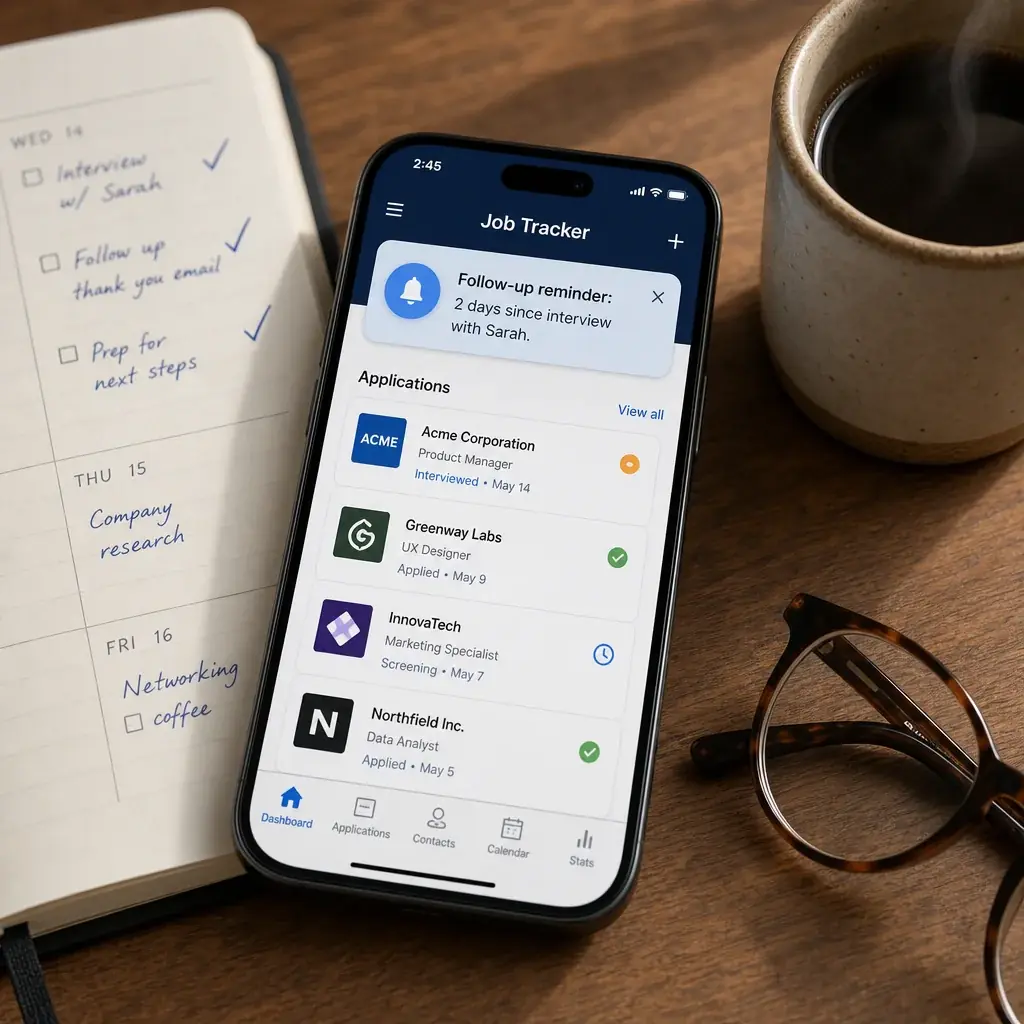
Following up is expected, and most candidates never do it. Reminders make it consistent without relying on memory. Useful default intervals:
- About five working days after applying
- Within a day of an interview, for the thank-you note
- One week after your last message if you have heard nothing
Stay visible without pestering.
3. A visual pipeline
A list of 50 applications is overwhelming. A pipeline that shows how many sit in each stage is motivating, and it makes patterns obvious. Seven applications stuck in “Applied” for more than two weeks is a signal: follow up or move on.
4. Interview details
Once interviews start, things move quickly. Keep the date and time zone, interviewer names, the meeting link, and your prep notes in the application record. Two minutes reviewing them before the call is the difference between sounding prepared and sounding rushed.
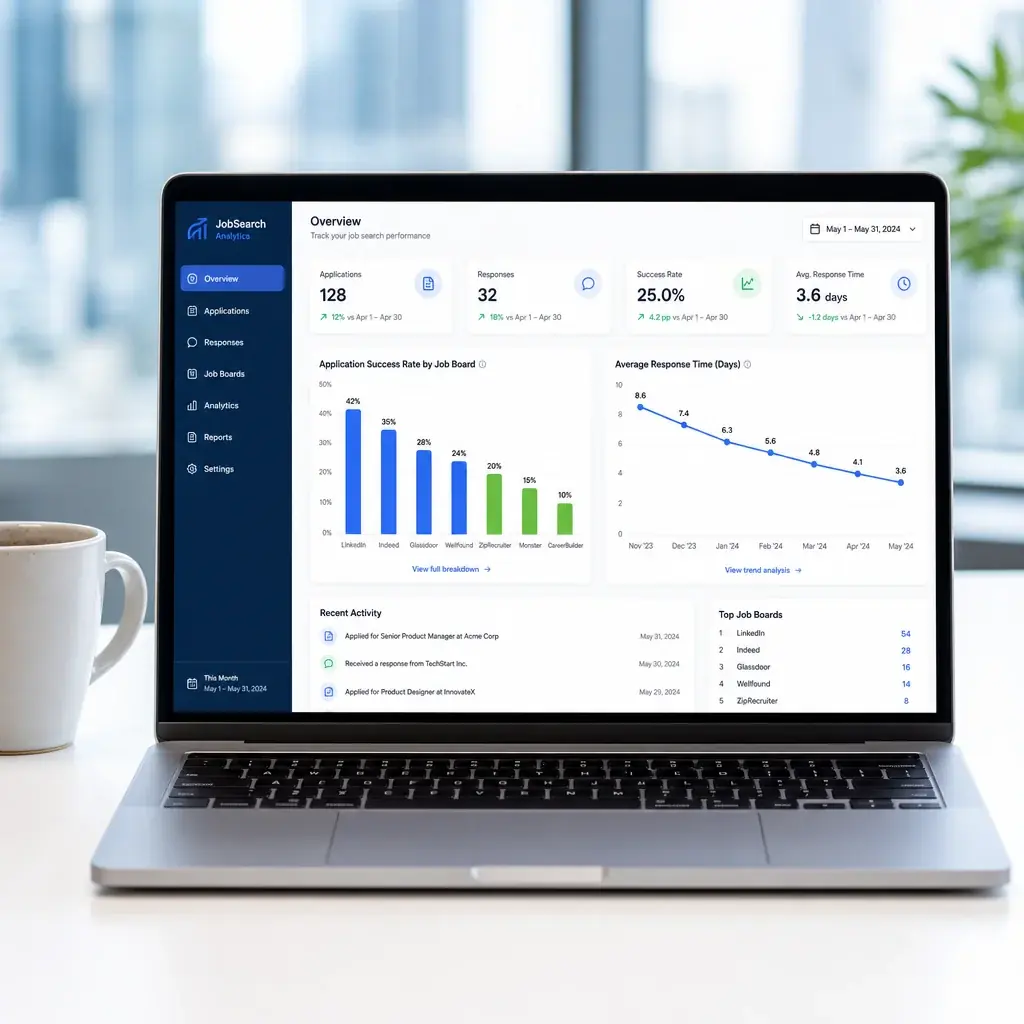
5. Simple analytics
Even basic numbers help. Which job boards lead to interviews? How long do responses usually take? Which resume version gets callbacks? If one source produces nothing and another produces screens, shift your time.
How to compare trackers
| Feature | Why it matters | What to check |
|---|---|---|
| Ease of logging | If adding an application takes more than 30 seconds, you will stop doing it | Quick-add, browser extension, or email forwarding |
| Reminders | Follow-ups are the highest-leverage habit in a search | Custom intervals per stage |
| Calendar sync | Prevents scheduling and time-zone mistakes | Automatic invites and time-zone handling |
| Documents | You need the exact resume you sent | Resume and cover letter versions attached to each role |
| Analytics | Shows which sources and strategies work | Response rates by source or resume version |
| Privacy | Job search data is sensitive | Encryption, data export, a clear privacy policy |
| Price | Free plans often cap active applications | What the paid plan adds, and whether you can export |
What to avoid
- Tools that need a tutorial before you can log your first application.
- Heavy data entry. Ten minutes per application will not last a week.
- No mobile access. You will want to update statuses from your phone.
- Vague privacy practices. You are storing personal and employment details.
- Promises of offers. No tracker guarantees interviews.
How Resumae helps
Resumae keeps each role’s job description, tailored resume version, cover letter, prep notes, and status in one workspace, so everything you need for a recruiter call is already attached to the application. No hunting across tabs.
For the full workflow, read the AI resume tailoring guide, or turn the posting into interview prep with interview prep from a job description.
Frequently asked questions
What is the most important feature in a job application tracker?
A status pipeline that is quick to update. If logging takes longer than 30 seconds, you will not keep it current. Status tracking plus reminders gives you one reliable view of every application.
How often should I update my tracker?
Log each application the moment you send it, and do a 15-minute review once a week. The weekly pass shows where to follow up and where to move on.
Will a tracker get me more interviews?
Not on its own. It makes your follow-up consistent, which means fewer opportunities slip away, and the data shows which sources and resume versions are worth your time.
Key takeaways
- Track more than status: keep the posting, resume version, and notes with each role.
- Automate follow-ups: consistency beats volume.
- Review weekly and use your own numbers to decide where to spend effort.
- Keep it simple: the best tracker is the one you keep using.

About the author
Yuvraj Bajwa
Founder, Resumae
Yuvraj Bajwa is the founder of Resumae, an AI job-search workspace built as part of Coffee Drop Studio. He writes and reviews the resume, cover letter, interview, and application-tracking guidance on this site, drawing on the day-to-day work of building the tailoring, fit analysis, and ATS tools the articles describe.
- Founder
- Product lead
Related reading
AI-Written Resumes: Detection and Ethics
Can recruiters tell if ChatGPT wrote your resume? Explore detection, rejection risks, and ethical AI use to stay safe with ATS systems in 2026.
Can ChatGPT Write Your Resume? What to Know in 2026
Can ChatGPT write your resume safely in 2026? Learn what AI does well, where it fails, and how to use it strategically without getting flagged by ATS.
How Long Should a Resume Be? 1 vs 2 Pages (2026)
Stop guessing resume length in 2026. See data from HR surveys and industry standards, plus the federal two-page rule, to choose 1 or 2 pages confidently.
Next step
Ready to build a resume that gets noticed?
Paste a job description and let AI tailor your resume - free plan, no credit card required.